USB cable for downloading measurement data to diabetes management software
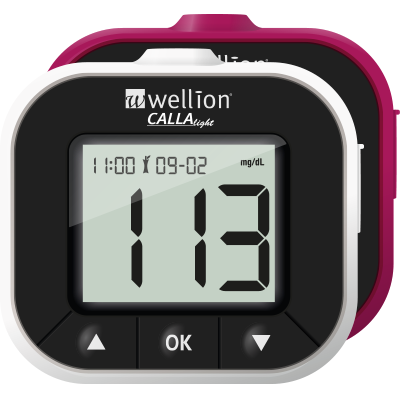
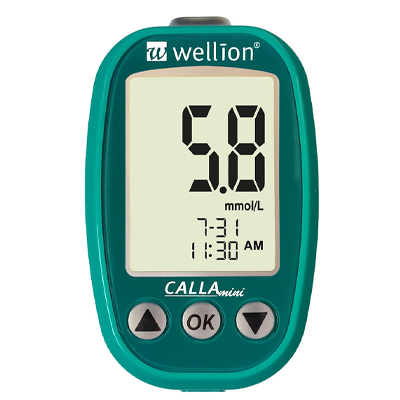
For Wellion GALILEO and Wellion CALLA meters with a mini-USB port
(please check which port your meter has to ensure you select the correct USB cable)
Content: USB cable only (download drivers HERE)
This product does not include any software for analysing or displaying your data!
Data transfer for analysis or graphical display is only possible using diabetes software, which is available separately.
Do you already have a Wellion GALILEO or Wellion CALLA meter (with mini-USB-port) and want to view your readings on a computer?
To do this, you will need:
- Your Wellion GALILEO/CALLA meter
- the appropriate Wellion USB data transfer cable, including drivers
- AND diabetes software, e.g. Sidiary (this item does not include any software!)
Installation:
- Select the USB cable that is compatible with your measuring device and operating system. (Data cannot be transferred using just any USB cable!)
- Plug the Wellion USB cable into the USB port and install the appropriate Wellion USB cable driver (available here in our downloads section).
- Install diabetes management software
- Start downloading and analysing your data.
Diabetes software is specifically designed to download readings and present them graphically, for example from blood glucose monitors, blood pressure monitors and other medical monitoring devices. This gives you a better overview and allows you to analyse your health data more effectively. In order to transfer the data, an interface for the relevant monitoring device must be pre-programmed into the diabetes software. The interface for our Wellion monitors is already programmed into Sidiary (please ensure you are using the latest version of the diabetes software).
Data transfer is only possible using software available separately:
You can find an overview here: https://www.wellion.at/produkte/blutzuckermessgeraete/wellion-sidiary
SiDiary software (visit the manufacturer’s website)
(All trademarks mentioned are the property of their respective owners. The absence of a trademark symbol does not imply that the trademark is not protected.)